
BitNinja · MALWARE

BitNinja Linux malware scanner

BitNinja is a Linux server security platform for hosting providers, sysadmins and infrastructure operators. Its Linux malware scanner monitors web files, detects malicious PHP, webshells and backdoors, and quarantines them automatically, using cloud AI analysis so scans stay fast without tying up server CPU.

Start the scan

[ no credit card · 7-day full arsenal ]

Linux Malware Scanner — BitNinja
8M
malware scanned daily
faster scans than ever
1/10th
the resources of other scanners

sys://definition

What is a Linux malware scanner?

A Linux malware scanner inspects files on a Linux server to find malicious code such as webshells, backdoors and infected scripts. On web servers it watches document roots, home directories and temp paths for new or changed files, then checks them against signatures and behavioral analysis. Scanning matters in Linux hosting because one infected site can send spam, inject SEO spam or spread to neighboring accounts.

sys://scan-pipeline

How does BitNinja's Linux malware scanner work?

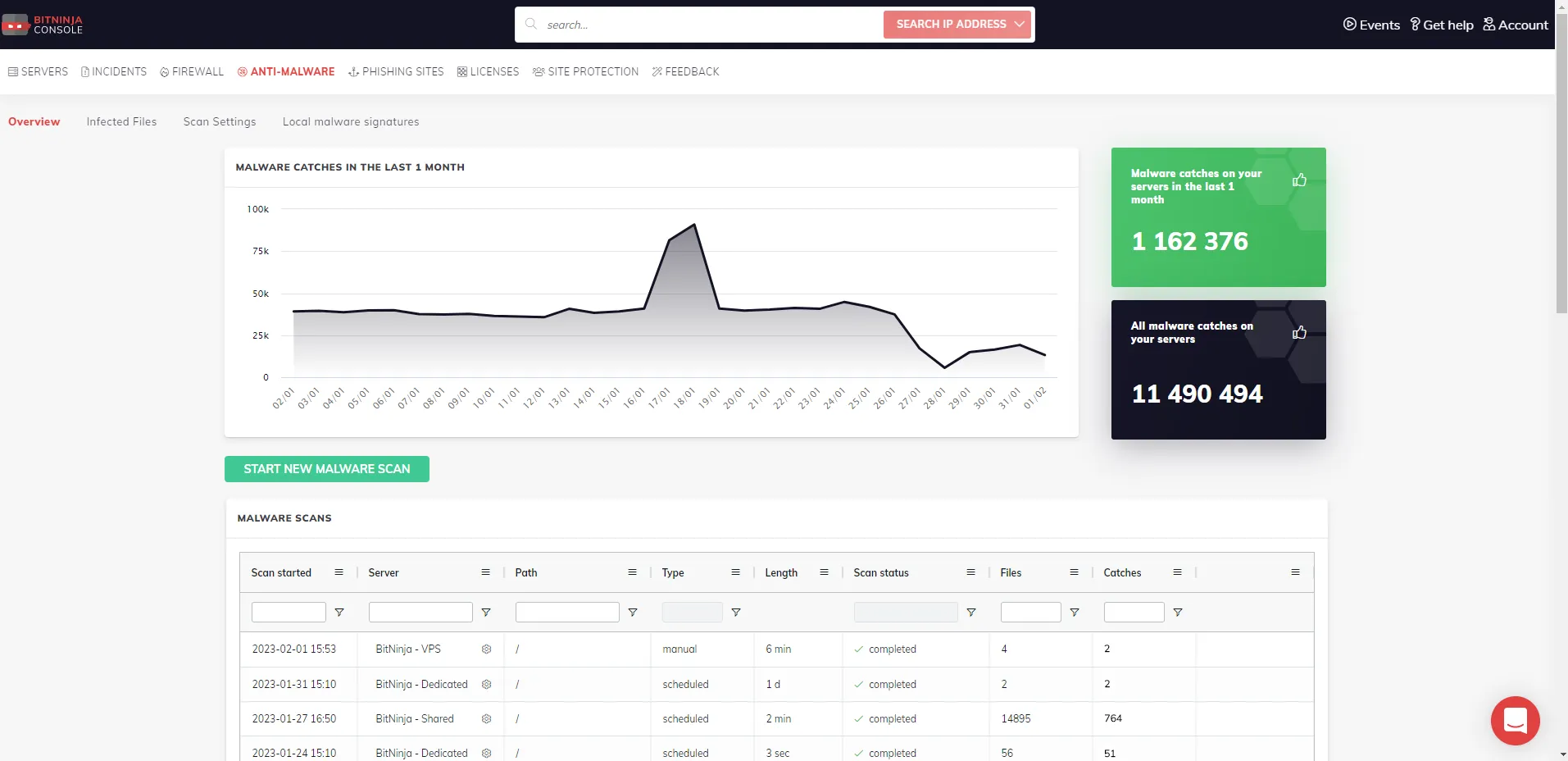
BitNinja's Linux malware scanner watches web files for changes, runs a quick signature pass then a deep structural scan, and can send metadata to cloud AI and a PHP sandbox. Confirmed malware can be quarantined, the attacker blocked, and the drop path replaced with a honeypot.

  1. 01

    File monitoring

    Auditd (the default) or inotify watches paths such as /home, /tmp and /var/www. New or changed files are inspected as they land, not only on a nightly job.

  2. 02

    Quick and deep scan

    A quick pass matches signatures and hashes. A deep scan uses code deobfuscation and structure analysis for thorough cleanup, including first-install and scheduled scans.

  3. 03

    Cloud AI and sandbox analysis

    Files that need more than a signature match can go to cloud AI analysis and the Sandbox Scanner for behavioral PHP checks, including previously unseen malware. How those two layers work is covered below.

  4. 04

    Detection and automated response

    Findings are checked against BitNinja’s auto-updated malware database. If quarantine is enabled, infected files move to /var/lib/bitninja/quarantine and can be restored. Defense Robot can block attacker IPs; optional honeypotify replaces the file so returning bots are challenged.

  5. 05

    Fleet-wide prevention

    Custom signatures sync across your servers. Defense Robot can turn targeted domains or URIs into honeypots so the same drop path stops working.

sys://coverage

What types of malware can BitNinja detect?

The Linux malware scanner is built for file-based threats on Linux web servers, especially PHP in CMS document roots. It uses signatures, structure analysis, cloud AI and PHP sandboxing together, not a single matching method.

  1. 01

    Malicious PHP files

    The most common hosting infection: PHP on disk, inspected with signatures and structure analysis.

  2. 02

    Webshells

    Small remote-control scripts, including packed or encoded PHP shells.

  3. 03

    Backdoors

    Leftover access after a compromise, including on first install when a server may already be dirty.

  4. 04

    Obfuscated malware

    Disguised payloads unpacked by deobfuscation and structure analysis.

  5. 05

    Malicious scripts

    Dropped scripts and infected uploads in web roots, home directories, cron spool and temp paths.

  6. 06

    Zero-day malware

    Previously unknown PHP with no public signature, handled by the AI and sandbox layers below.

sys://scanner-depth

Core technologies in the BitNinja Linux malware scanner

Four differentiators behind the scan: cloud AI, automated response, PHP sandboxing, and signatures you define for your fleet.

01 // AI

AI-powered Linux malware scanner

Cloud AI analysis offloads matching from the Linux server: the agent sends file metadata and an MD5 hash (about 16 bytes per file) to the Komondor supercomputer (6 petaflops). Combined with IP reputation analysis, that helps spot zero-day threats, distinguish harmful files from benign ones, and cut bot traffic that would otherwise waste CPU.

Explore AI protection →

02 // ROBOT

Defense Robot

After malware is found, Defense Robot automates response: it neutralizes infection sources, blocks attacker IPs, and can convert targeted domains or URIs into honeypots so the same drop path is no longer usable.

Block malware →

03 // SANDBOX

Sandbox Scanner

The Sandbox Scanner is a PHP emulator that runs suspect files on the server in a safe environment and analyses their behavior. That is how obfuscated and hidden zero-day PHP malware, including webshells, can be identified without detonating it on a live site.

Get your own sandbox →

04 // SIGS

Custom malware signatures

Add malware patterns unique to your fleet and sync them across servers from the dashboard or CLI. New signatures start in log-only mode so you can confirm them before enforcement; allowlists and blocklists are account-wide.

Customize now →

sys://hosting

Linux malware protection for hosting providers

Hosting providers need a Linux malware scanner that covers many websites and servers without a cleanup engineer on every account. BitNinja uses one agent per server, a central dashboard, and automated response so scan load stays off customer sites.

  1. 01

    Scalability

    Manage the fleet from one dashboard. Custom signatures sync across the account, so a sample found on one host can protect the rest.

    Shared hosting security →
  2. 02

    Automation

    File monitoring, quarantine and Defense Robot handle first response. Operators still get quarantine records and can restore files, without starting every incident by grepping accounts.

  3. 03

    Resource efficiency

    Quick/deep scan, dual caching, Auditd monitoring and cloud hashing keep scans cheap enough for shared servers: about 1/10th typical scanner resource use, with 3× faster scans.

sys://cms

Malware protection for popular CMS platforms

BitNinja is a server malware scanner, not a CMS plugin. It inspects the Linux files WordPress, Joomla, Drupal, Magento and PrestaShop run on. Pair it with WAF and FilePatcher to block the exploits that drop those files.

sys://user-signal

“After implementing BitNinja, our incidents of malware-infected websites, hacked sites, or spam scripts have been reduced from a daily occurrence to one or two incidents a month.”
1-grid

sys://faq

Linux malware scanner FAQ

Linux malware scanning, cleanup, resource use and hosting fit.

How often should a Linux server be scanned for malware?

New and changed files should be scanned as they land, not only on a nightly job. Schedule a full scan as well; frequency depends on server size and how often files change, and you can set that per server in the dashboard. BitNinja watches configured paths in real time and still runs first-install, scheduled and manual scans.

Does a Linux server need malware protection?

Yes, if it hosts websites or customer files. Attackers commonly drop PHP webshells and backdoors after a CMS exploit or weak credentials. Scanning shortens the time malware can send spam or spread to neighboring accounts.

Can BitNinja automatically detect and remove malware?

It detects malware when files change, and on scheduled or manual scans. If quarantine is enabled, infected files move to /var/lib/bitninja/quarantine and can be restored. Defense Robot can also block attacker IPs and honeypot targeted URIs.

Can BitNinja detect PHP and zero-day malware?

Yes. Signatures and structure analysis inspect PHP on disk; the Sandbox Scanner emulates PHP execution to catch obfuscated webshells. Cloud AI analysis and that sandbox layer are built for previously unknown PHP, not only known hashes. No scanner can guarantee every zero-day.

How does BitNinja reduce the resource impact of malware scanning?

A quick scan handles obvious signatures first; a deep scan does the heavier structural work. Dual caching, Auditd monitoring and cloud AI hashing (metadata plus a file hash, not the file contents) keep work off local CPU. Published figures: 3× faster scans and about 1/10th typical scanner resource use.

Is BitNinja suitable for hosting providers?

Yes. One agent per server, a central dashboard, account-wide signatures and automated quarantine are built for fleets running WordPress, Joomla, Drupal, Magento or PrestaShop. Hosts such as 1-grid have reported malware incidents dropping from daily to one or two a month.

[ full arsenal · no limitations ]

Enjoy a full 7-day trial accessing all our features without limitations

Don't worry. The installation process is quick and straightforward.

Start free trial

[ No credit card required ]